Submitting a Payment for an Application You Submitted
There are two ways to access payment processing: via email or directly from the Bahamas Investment Portal.
Via Email
- Select the link in the email you received from the Bahamas Invest Notification
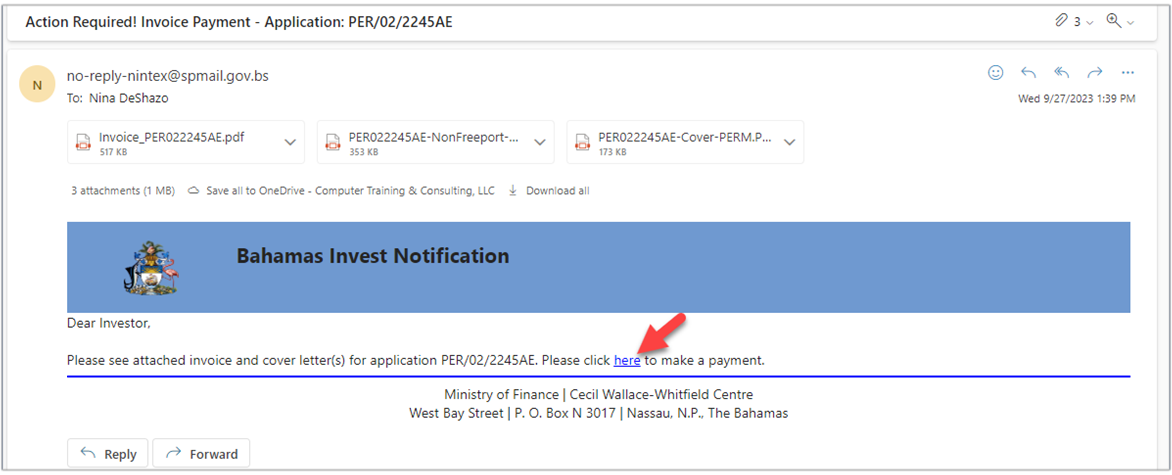
- Follow Steps 4 through 11 below
Via The Bahamas Investment Portal
- Navigate to the Bahamas Investment Portal and log in with your credentials
- In the Applications panel, scroll down and select My Applications Awaiting Payment
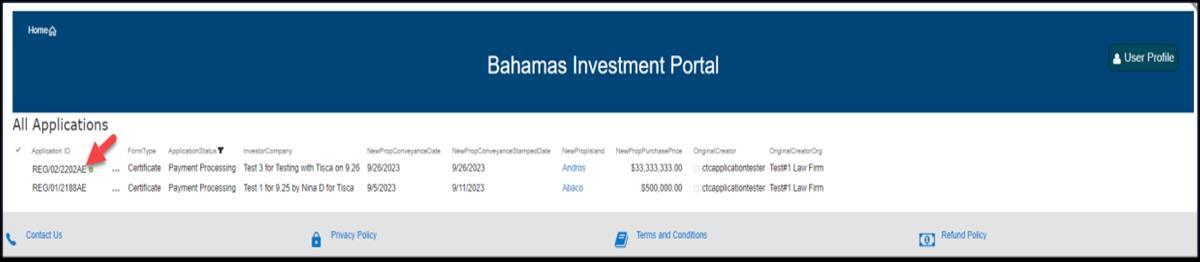
- Select the application for which you would like to submit a payment
- Once the new page appears, scroll down to Online Payment
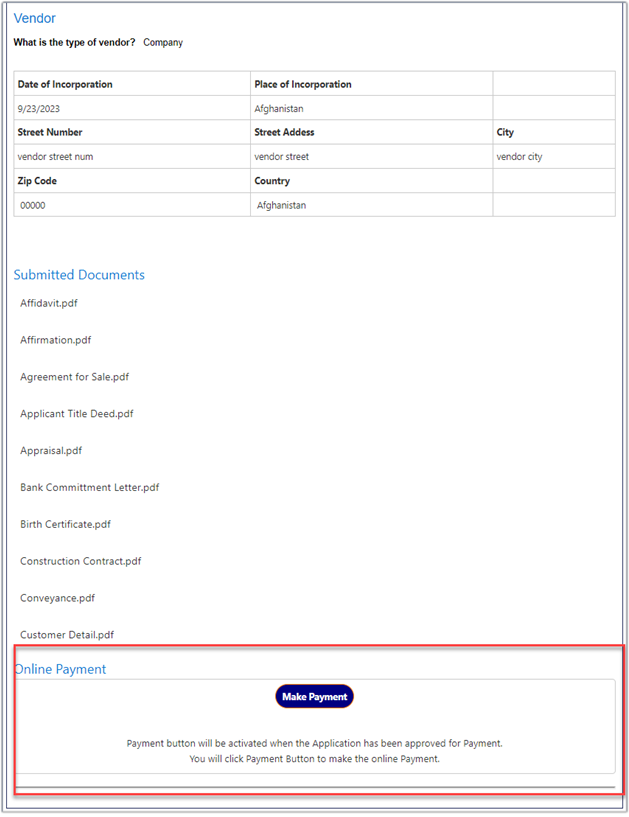
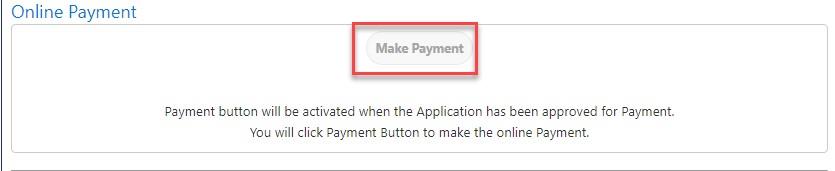
- Click Make Payment
- Select the Currency drop-down, select BSD, and click Confirm
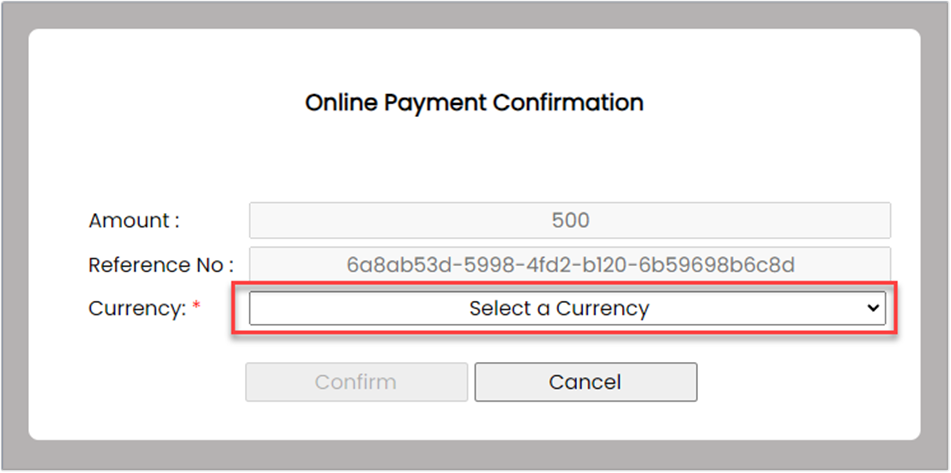
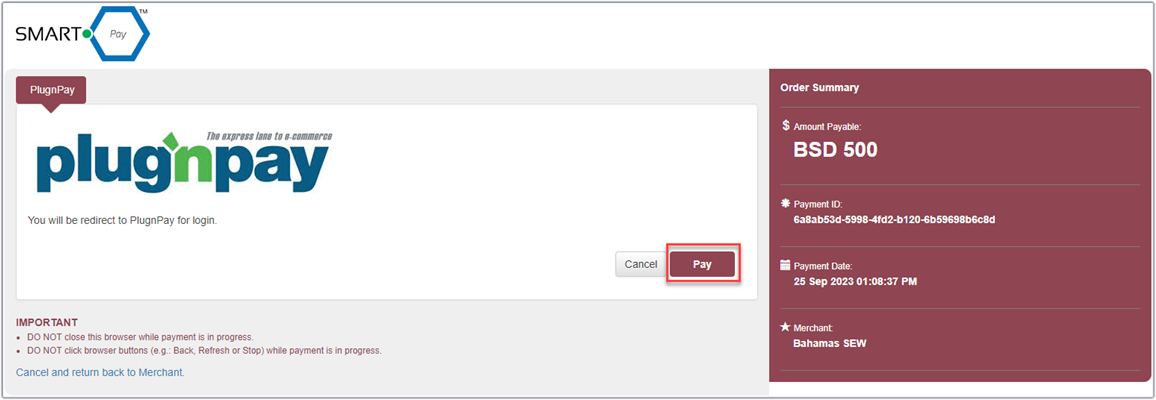
- You will be directed to the SmartPay/PlugnPay screen. Select Pay
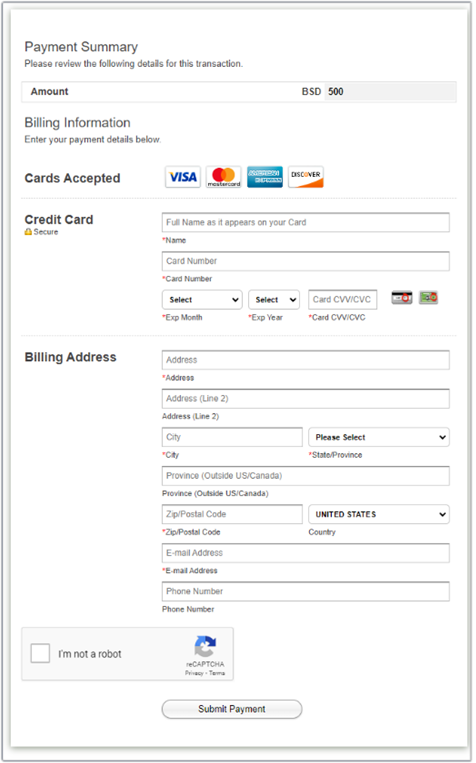
- Enter your billing information: Full Name, Card Number, Expiry, CVV, Address, City, State, Zip, Email
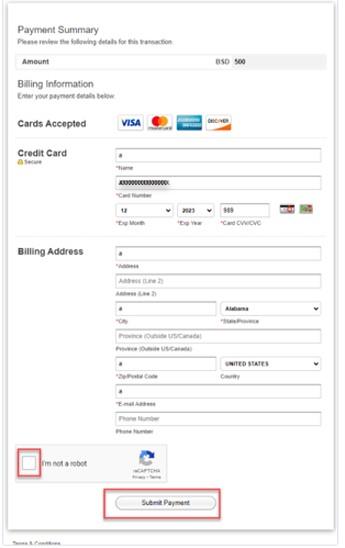
- Select I'm not a robot and Submit Payment
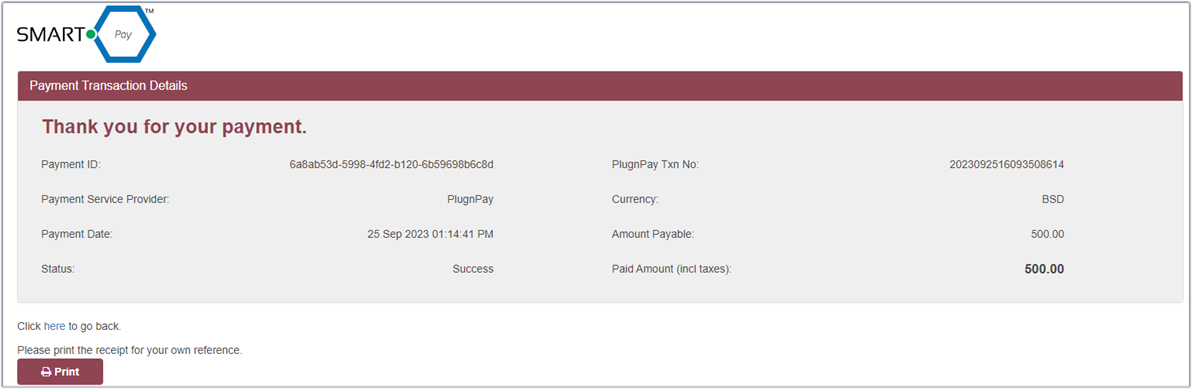
- A receipt will be displayed. Select Print to save a copy for your records

- After 3-4 minutes, verify your payment was successful. The Make Payment button should be grayed out and a payment transaction should appear under Payments
Important: It takes a few minutes for the portal to register your payment. If the button is not immediately grayed out, please DO NOT attempt to make another payment.