Before you start
These steps work for any signed-in VAT Stamp user. You will change your password on the Bahamas Government Portal and then return to VAT Stamp.
Change your password
-
Sign in to VAT Stamp and open the initials avatar at the top right.
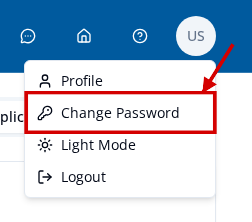
- Select Change Password.
- On Update password, enter your new password in New Password.
-
Enter the same password in Confirm password.
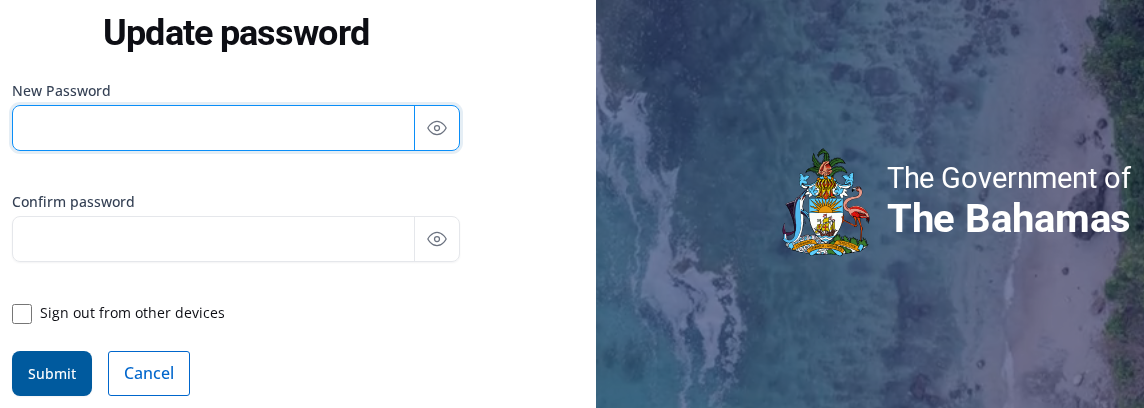
- Select Submit.
- Wait for the VAT Stamp dashboard to open. Your current session remains usable.
- Use the new password the next time you sign in.
If the page does not accept an entry, follow the message shown on the page.
Cancel the change
Select Cancel on Update password to return to VAT Stamp without changing your password.