Checking the Portal
Navigate to the VAT Stamp Duty Portal, scroll to My Organization's Applications, and click Outstanding Balance Responses.

This displays all submitted responses with columns: Open, Response ID, Case Number, Created, Status, Objection Type, and NotesToSubmitter.
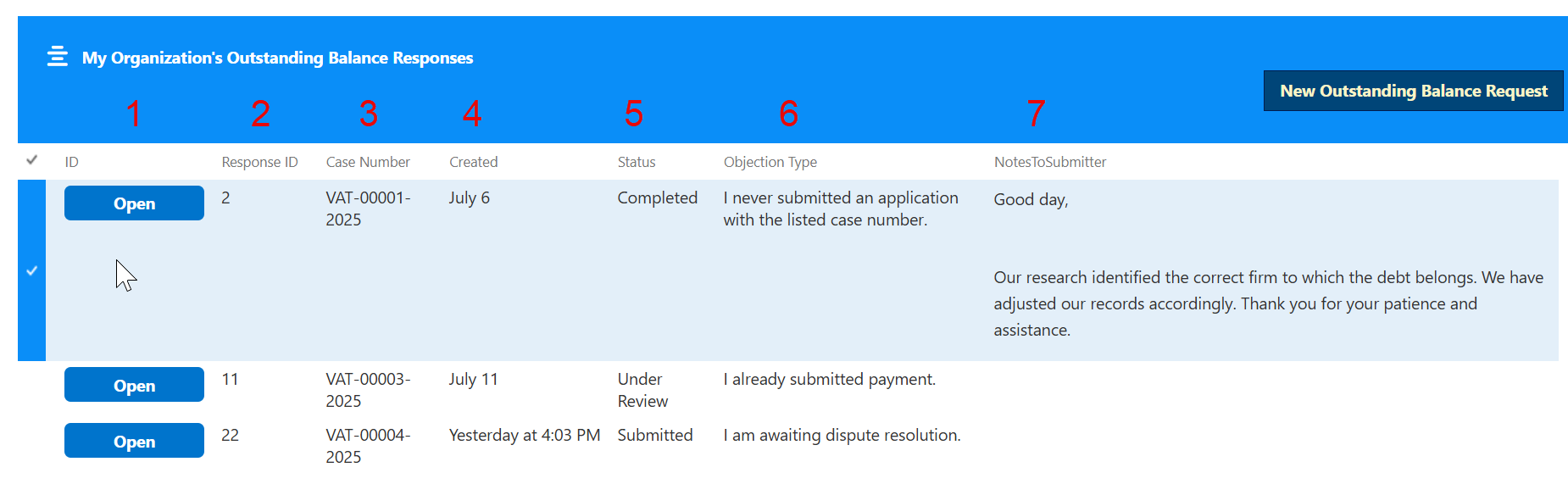
Filter submissions by clicking any column heading.
Reviewing Response Details
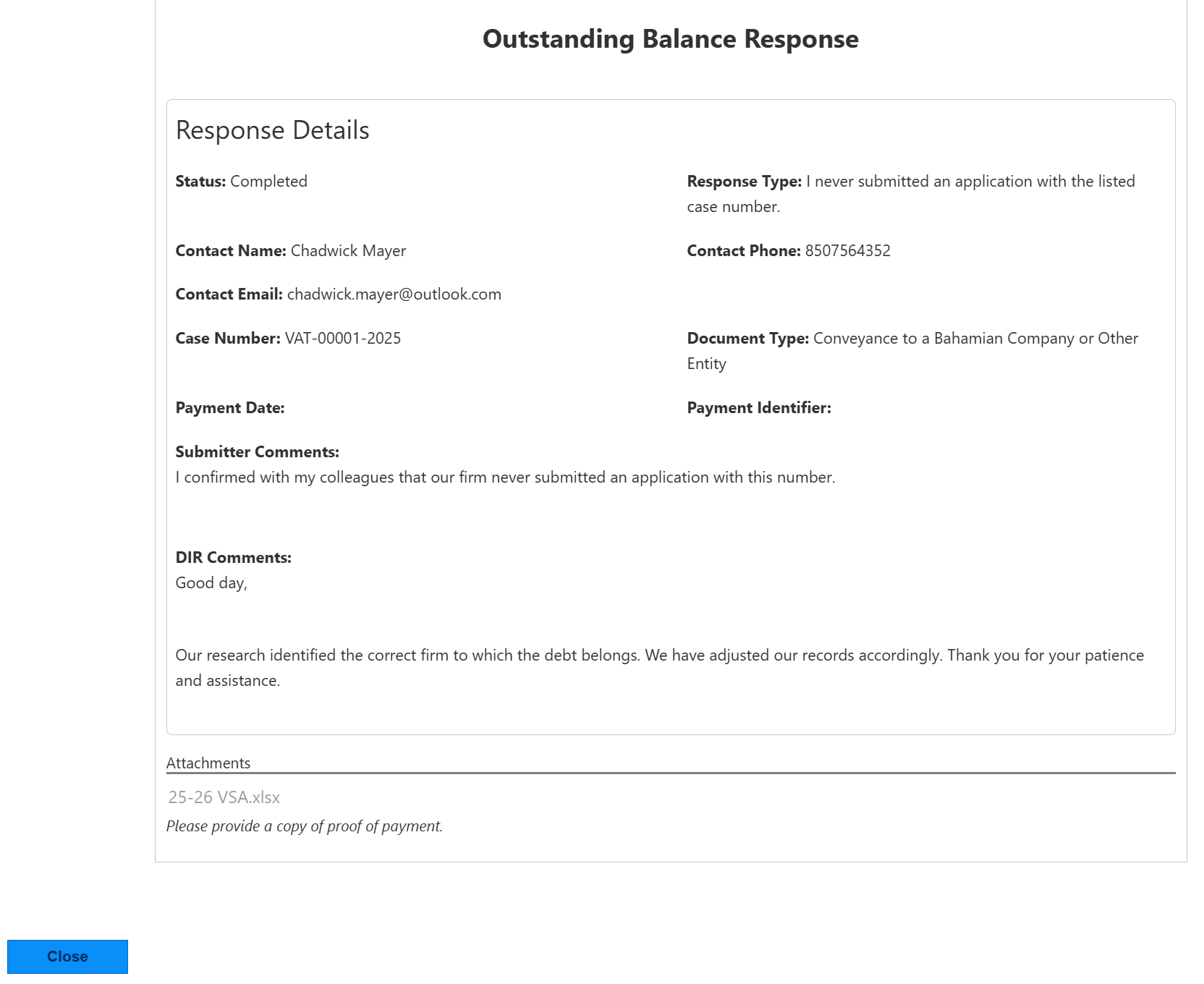
Click Open to view a read-only form with all submitted fields. DIR's decision appears under DIR Comments.